Lessons are once a week. The real playing happens at home.
Etudebook puts the teacher's homework on the screen as pictures your child can follow on their own. There's a sticker for every practice day, and you see how the week went.
Start a diaryFree, no ads, works on any phone.

How learning an instrument works
New to lessons? This is the loop every teacher counts on.
The lesson
The teacher listens, helps, and sets the week's homework: a piece, a scale, a tricky bar to work on, and for a beginner how much, say three times through or fifteen minutes a day.
The week at home
Your child plays that homework in a short practice, most days: the amount the teacher asked for, or what you agree together. Ten minutes that happen beat an hour that doesn't. This is where fingers learn and pieces come together. The lesson only points the way.
The next lesson
The teacher hears what happened at home and builds on it. When the week went well, the lesson moves forward, and your child feels it.
The weak link is the week at home
The homework is in a notebook at the bottom of the school bag, nobody remembers how many times, and you only hear how it went when the teacher asks. Etudebook is for that week.
How it works
Write down the lesson
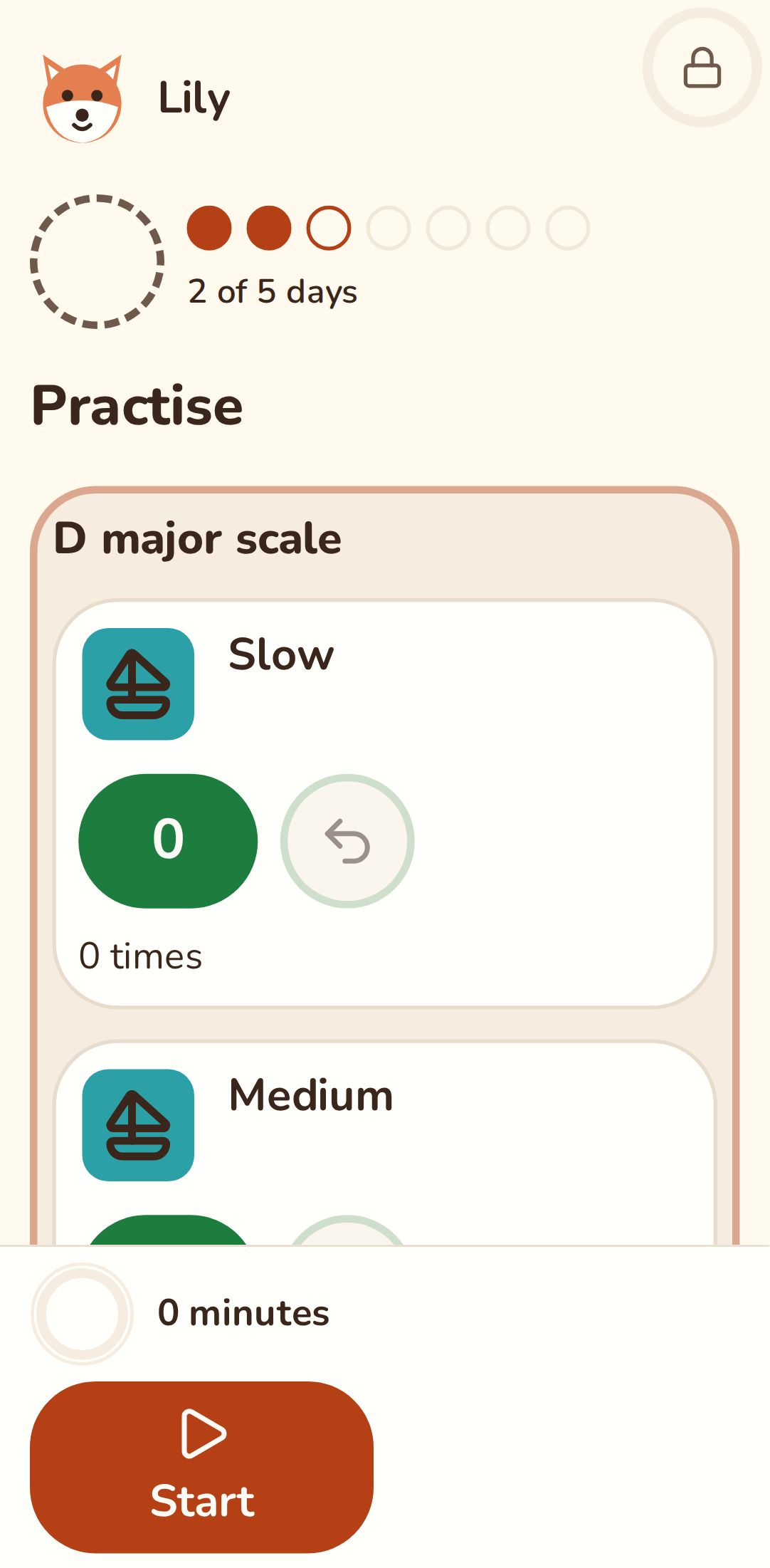
After the lesson, add what the teacher assigned. Each piece or exercise is its own task, with a picture, how many times to play it, and a note if you need one.
Your child practises on their own
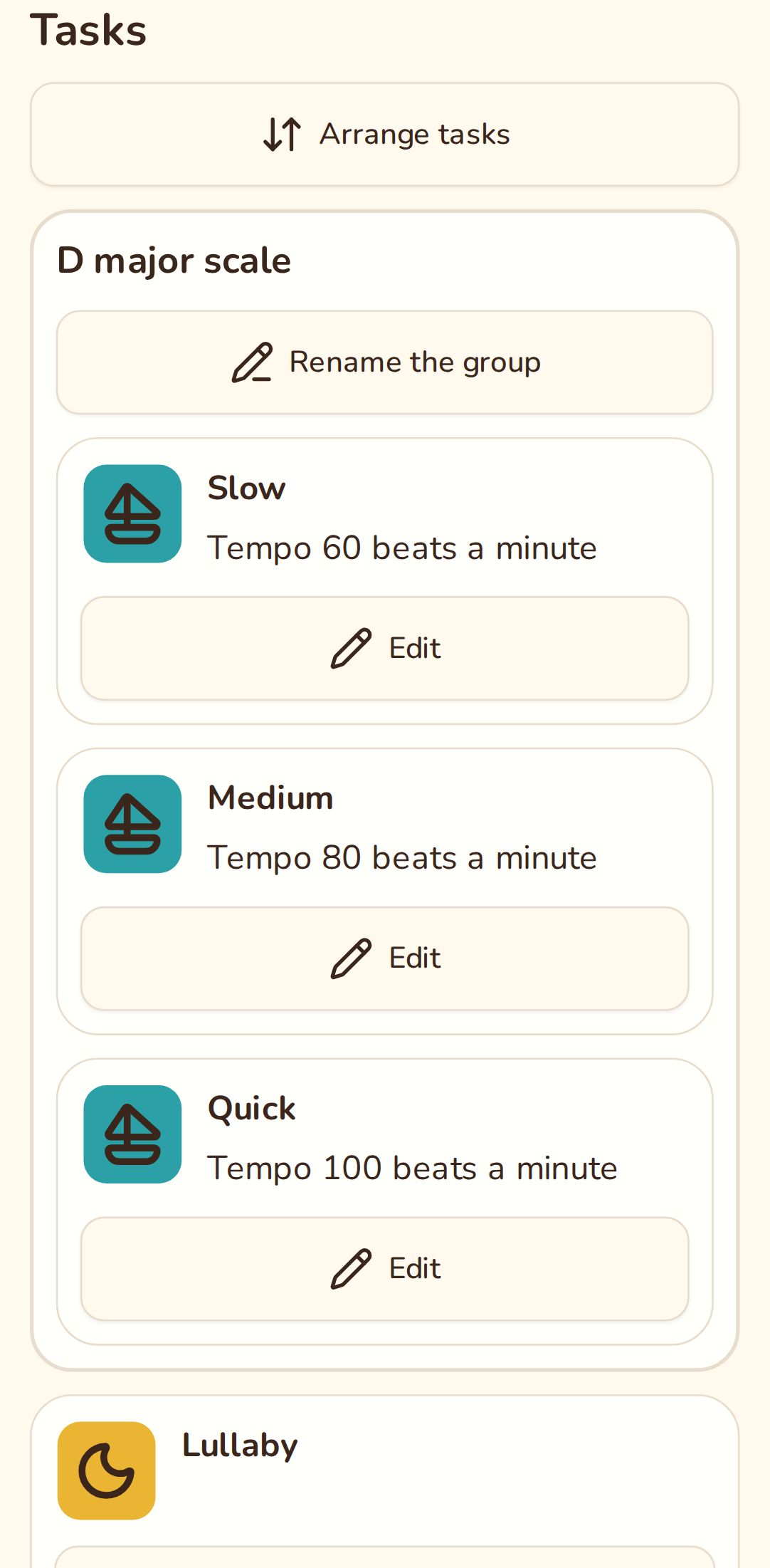
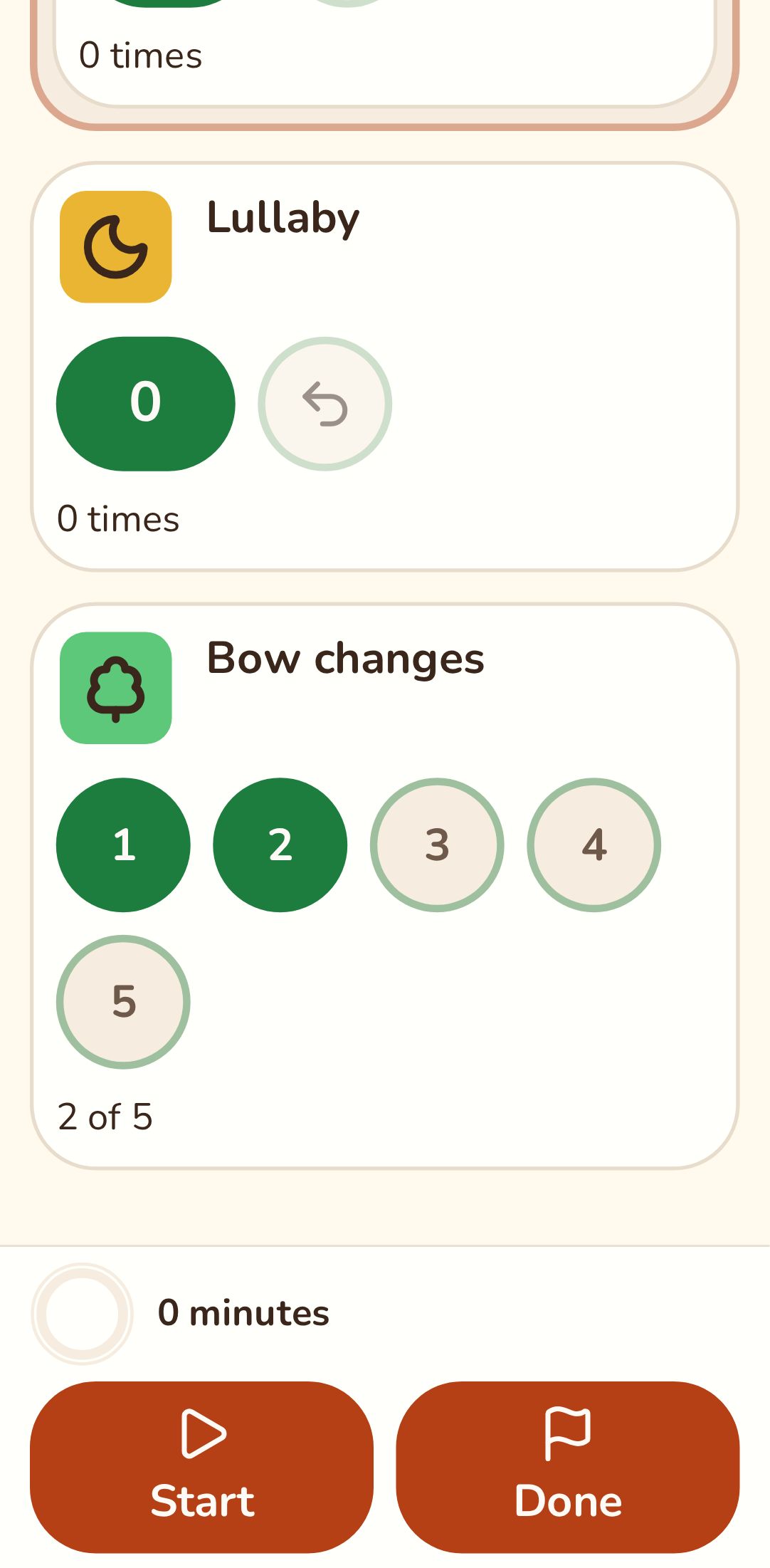
In kid mode, your child sees the tasks as pictures, taps a bubble each time they play one through, and can start a timer. Each day they practise, they get that day's sticker. A PIN keeps your pages closed meanwhile.
See the week
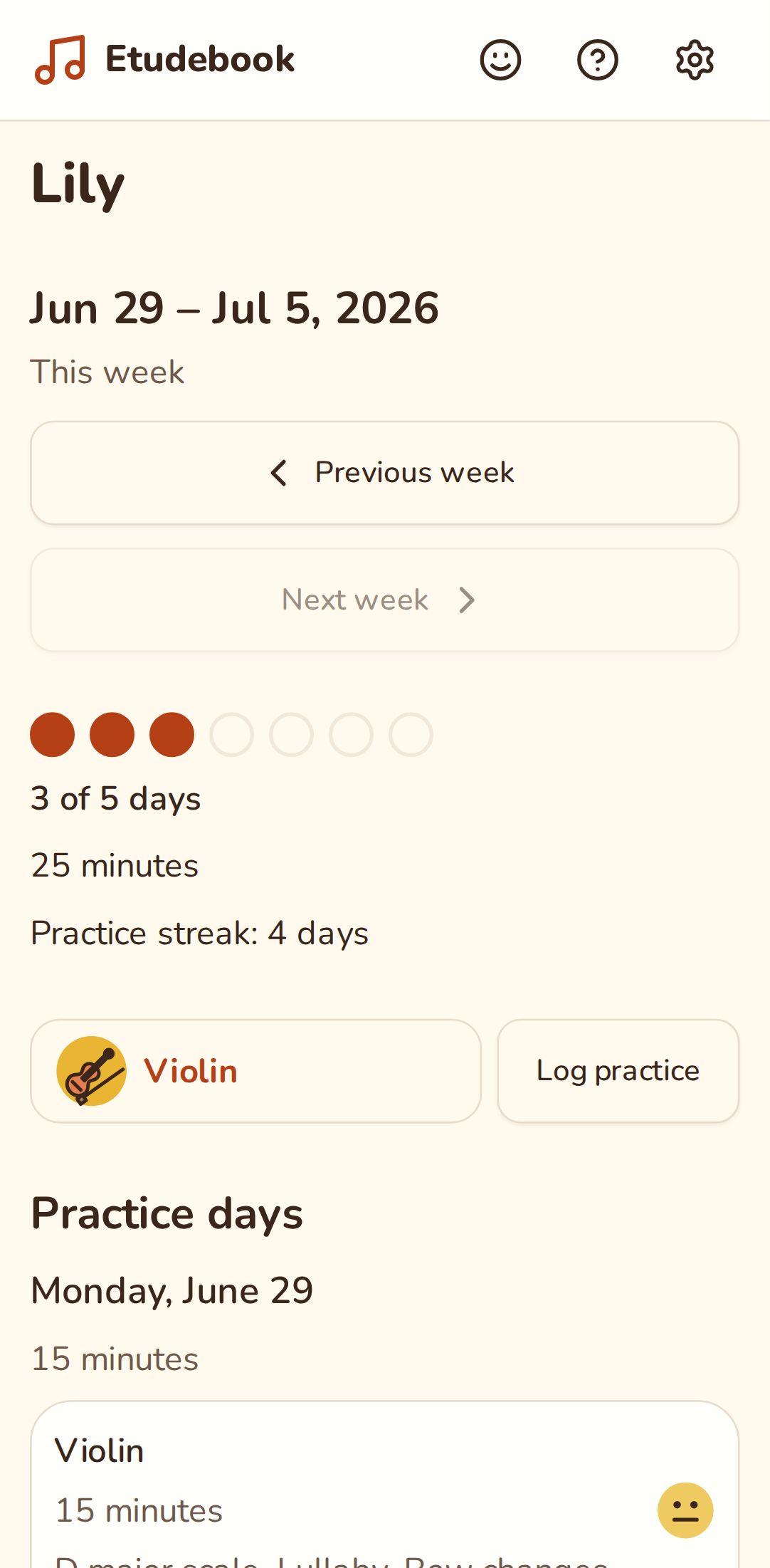
The week page shows which days your child practised, for how long, how it felt, and how many times each task was played. You can show it to the teacher at the next lesson.
Who it's for
Children of about 4 to 12 who play any instrument, with a parent who sets up the app. Up to three children in one family can use it, each with their own notebook in the app.
Teens from 13 and adults can keep their own practice diary, without a parent.
Good to know
-
Free, no ads
Sign up with just your email address. The free version stays free.
-
We look after your privacy
Your diary is stored in the EU, and your notes are encrypted.
-
Works offline
Practise in the basement or at the summer cottage. It syncs when you're back online.
-
Easy for the teacher
At the lesson, you show the week on your phone, and that's all.
Questions
Is it free?
Yes. Signing up, the diary and downloading your data cost nothing, and there are no ads. The free version stays free. Later we may offer a paid version with extra features, and you pay only if you order it yourself.
Does my child's teacher need to use it?
No. You write down what the teacher assigned, and at the lesson you can show the week on your phone. The teacher doesn't need an account.
Which instruments does it work with?
Any. You type the instrument's name yourself, so piano, violin, kantele and drums all work the same way. A child can have more than one instrument.
My child can't read yet. Can they still use it?
Yes. You choose for each child how kid mode shows text: pictures only, simple words or full text.
Can I add more than one child?
Yes, up to three children in one family. Each has their own notebook, stickers and week.
Does it work without the internet?
Yes, once you've signed in on the device. Practice saved offline is sent when you're back online. Signing in and a few account pages need a connection.
What do you store about my child?
Only what the diary needs: a nickname and an animal picture, no birth date and no photo. The notes you write are encrypted. You can download everything, or delete a child's profile, at any time.
Is it in the App Store or Google Play?
No. It runs in your phone's browser, and you can add it to your home screen so it opens like any other app.
How to add it to your home screenReady for the next lesson?
Sign up in a minute and write down this week's homework.
Start a diary